

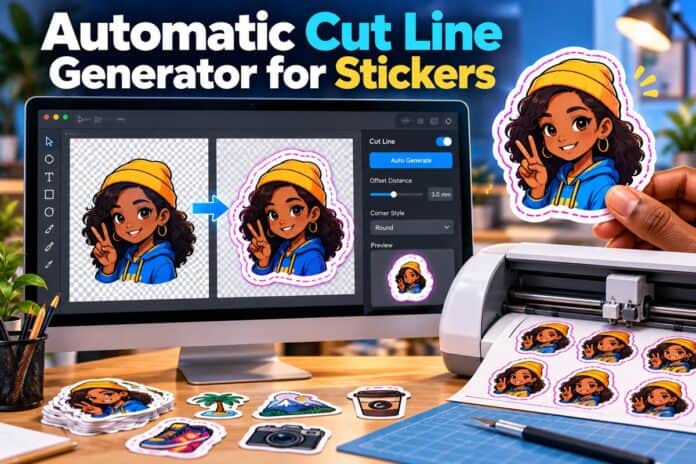
An automatic cut line generator for stickers traces the edge of your artwork and adds an offset path for cutting. Adobe Firefly’s sticker generator prepares the artwork for that step, isolating your subject, adding a white border, and downloading a transparent PNG that cut line software or a print service can outline.
Imagine you sell handmade candles and want die-cut stickers of your logo for every package. The design is ready, but the cut line, the invisible path that tells a blade where to slice, still needs to exist. Drawing one by hand around curves and corners is slow and rarely smooth.
Automatic tools read the shape of your design and build that path for you. Some of them live in free design software, some come bundled with cutting machines, and some are handled by print services after you upload your artwork. Which route fits best depends on whether you’ll cut stickers yourself or order them printed.
How Does an Automatic Cutline Sticker Editor Work?
An automatic cutline sticker editor works in two steps: it finds the outer edge of your design, then pushes that edge outward by a set distance to form the cut path.
The first step depends on clean artwork. Editors trace most accurately when your sticker sits on a transparent background with crisp edges. Firefly helps here. Removing the background in Firefly makes the image transparent automatically, and the file downloads as a PNG. You can also ask for a white sticker border in your prompt, which gives the outline a smooth shape to follow.
The second step, the offset, controls how much border appears beyond your art. A small offset hugs the design closely, while a larger one adds a bolder outline and more room for small cutting variations.
Is There a Free, Automatic Cutline Generator?
Yes. A free, automatic cutline generator is available in Inkscape, the open source vector editor. Because a PNG doesn’t contain paths, you first convert the image into a vector with Inkscape’s Trace Bitmap feature. You can then apply an offset to create the outline.

Inkscape offers several offset options, including Linked Offset, Dynamic Offset, and an Offset path effect. Users in Inkscape’s community forums note that offsets don’t always match the original contour exactly, especially on sharp points, so zoom in and smooth any rough spots before cutting.
If you own a cutting machine, its companion software may already include a free outline tool. Brother’s ScanNCut Canvas, for example, can create an offset line around a design, with a default spacing of 0.2 inches that you can adjust.
Which Software Can Auto Generate Cut Lines for Stickers?
Several kinds of software can auto generate cut lines for stickers, from free editors to print services that do it for you. The table below compares four options.
| Platform | Best for | Key details |
| Adobe Firefly | Preparing sticker artwork for any cut line tool | Background removal creates a transparent PNG; white border and cartoon style by prompt; Generative Fill and Generative Remove; free daily generations; Firefly model output safe for commercial use |
| Inkscape | A free desktop option for vector cut paths | Trace Bitmap converts images to paths; Linked Offset, Dynamic Offset, and Offset path effect create outlines |
| Brother ScanNCut Canvas | Brother ScanNCut machine owners | Creates an offset line around designs; default spacing of 0.2 inches, adjustable |
| VistaPrint Upload & Go | Ordering printed die-cut stickers without making a cut line yourself | A VistaPrint design pro turns your uploaded artwork into a cut sticker design; die-cut sheets on 8.5 x 11 inch paper |

If you plan to order printed stickers, a service that builds the cut line can save you a step.
Using a Sticker Maker for an Automatic Border and Die Cut Outline
A sticker maker can give you an automatic border and die cut outline in the design itself, which makes the cut line step far easier.
In Firefly, prompt terms like “white sticker border” and “transparent background” tell the AI to build a border into the artwork. Adobe recommends those phrases for sticker results. Because the border is part of the image, cut line software has a solid, even edge to trace instead of a busy outline full of fine details.
Keep the design simple around the edges. Thin points, tiny gaps, and stray strands create awkward cut paths that can tear when peeled. If something like that shows up, Firefly’s Generative Remove can erase it, and Generative Fill can smooth the area so the outline stays clean.
FAQ
Can I make a cut line from a JPG?
You can, but it’s harder. A JPG always saves with a solid background, so trace tools may outline the whole rectangle instead of your design. Remove the background first and save as a PNG for cleaner results.
Why does my cut line have jagged edges?
Low-resolution artwork and soft, blurry edges usually cause jagged traces. Start from a large, sharp image, and smooth the traced path before adding an offset.
Can I sell stickers made with these tools?
Adobe says Firefly generative AI models are commercially safe because they’re trained on licensed and public domain content. If you use a partner model in Firefly, you’re responsible for confirming it suits your project.




