

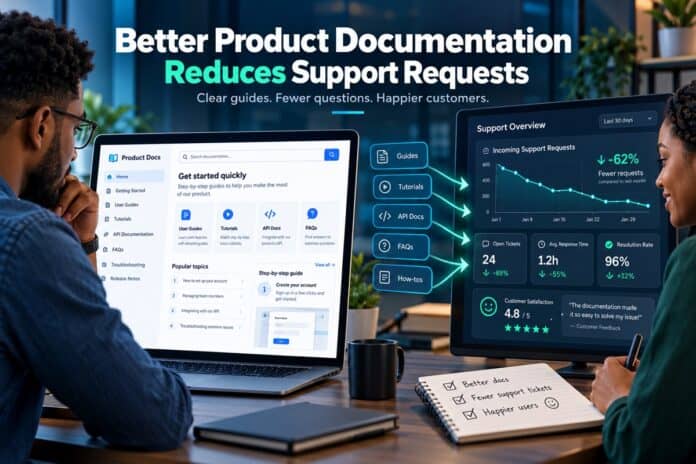
For technology companies, customer support is an essential part of building trust and keeping users satisfied. However, when customers repeatedly contact support teams to ask how a feature works, where to find a setting, or how to resolve a common error, it can signal a gap in the product experience. Clear product documentation helps close that gap by giving users reliable answers before they need to submit a ticket.
This is especially important for software platforms, mobile applications, web services, and application programming interfaces (APIs). Users want to solve problems quickly without waiting for a support representative. Well-organised guides, tutorials, FAQs, and troubleshooting instructions can make that possible while allowing support teams to focus on more complex issues.
For companies developing digital products, investing in technical writing services can help turn complicated product information into practical documentation that customers can understand and use. Rather than simply describing features, effective technical content explains how those features work, what users need to do, and how to handle common problems.
Why Customers Contact Support for Simple Questions
Many support requests arise because users cannot find the information they need. A feature may be available, but if its purpose is unclear or its instructions are difficult to follow, customers may assume something is broken. Even experienced users can struggle when software terminology, navigation, or setup procedures are poorly explained.
Common documentation-related support requests include:
- Instructions for creating an account or configuring a product.
- Questions about subscription plans, permissions, or account settings.
- Errors caused by incorrect setup or missing requirements.
- Confusion about integrations, API keys, or authentication.
- Requests for examples showing how a feature should be used.
When the same questions appear repeatedly, support teams can review those conversations to identify missing explanations. Adding clear answers to the relevant documentation can prevent similar problems from affecting future users.
How Documentation Encourages Self-Service
Self-service support allows customers to find answers independently through help centres, knowledge bases, tutorials, and searchable documentation. It gives users control over when and how they solve a problem, which is particularly useful when support teams are unavailable or operating in different time zones.

A useful knowledge base should make information easy to locate and understand. Articles need descriptive titles, clear navigation, consistent terminology, and instructions that follow the order in which users complete a task. Screenshots, diagrams, code samples, and short examples can make unfamiliar processes easier to follow.
Documentation also needs to reflect the way people actually use a product. A customer trying to connect an application to an external service may not search for the name of an internal feature. They may search for a specific task, error message, or outcome. Organising content around those real-world questions makes self-service more effective.
API Documentation Can Prevent Integration Problems
APIs allow different software systems to exchange data and perform actions. They are widely used in payment processing, e-commerce, business automation, analytics, and mobile applications. However, developers can encounter difficulties when API documentation leaves out essential details or assumes too much prior knowledge.
Useful API documentation should explain:

- Authentication: How to obtain and securely use API credentials.
- Endpoints and methods: Which requests are available and what each one does.
- Parameters: Which fields are required, optional, or restricted to certain values.
- Responses: What successful requests return and how errors are represented.
- Examples: How to make a request and interpret the result.
- Limits and troubleshooting: Rate limits, common failures, and recovery steps.
For example, a developer integrating a Nigerian online store with an inventory platform needs to know how product quantities are retrieved, updated, and validated. If the documentation includes a working request example, a sample response, and explanations of common error codes, the developer can resolve many issues independently.
Good API documentation is therefore more than a technical reference. It is part of the integration experience, helping developers connect systems correctly without relying on repeated conversations with the product team.
What Technology Companies Can Learn From Support Data
Support tickets offer valuable evidence about where documentation falls short. Instead of treating every request as an isolated incident, product teams can identify recurring themes and use them to improve their resources.
For example, a high number of password-reset questions may indicate that account recovery instructions are difficult to find. Repeated questions about a software integration could point to missing setup examples. Frequent reports of the same error might mean that the troubleshooting guide needs clearer steps.
A practical review process includes:
- Group similar tickets. Identify recurring questions by feature, task, or error.
- Check existing resources. Determine whether an answer already exists and whether users can find it.
- Update or create content. Write a clear explanation that directly addresses the problem.
- Ask users to test it. Confirm that someone unfamiliar with the process can follow the instructions.
- Measure the results. Compare ticket volume and resolution patterns after publication.
This process connects documentation work to actual customer needs rather than relying on assumptions about what users find confusing.
Make Instructions Clear, Accurate, and Easy to Scan
Length alone does not determine whether documentation is useful. A long guide can still leave users confused if it buries essential information under technical language or unnecessary background. Effective documentation gives readers the information they need at the point where they need it.
Writers can improve usability by following several principles:
- Use headings that describe the task or question being addressed.
- Put prerequisites and important warnings before procedural steps.
- Break complicated workflows into numbered instructions.
- Define technical terms when they first appear.
- Include examples of both successful outcomes and common errors.
- Keep screenshots, code samples, and interface descriptions current.
Accuracy matters just as much as readability. Outdated instructions can cause users to make incorrect changes, waste time, or submit additional support requests. Documentation should be reviewed whenever a product changes in ways that affect its interface, configuration, integrations, or behaviour.
Documentation Supports More Efficient Customer Service
Even excellent documentation cannot eliminate every support request. Some problems involve unusual configurations, account-specific issues, security concerns, or unexpected software behaviour. The goal is to resolve routine questions through reliable self-service while preserving human assistance for situations that require investigation or judgement.
Support teams can strengthen this approach by linking relevant guides directly in responses and using ticket trends to identify content gaps. Product teams can also include documentation links in onboarding emails, application interfaces, and error messages so users can access help without leaving their workflow.
In an article about opening products to developers, Forbes Technology Council discusses how interactive documentation and developer portals can help users test API calls and manage integrations. This illustrates how documentation can become part of the product experience instead of remaining a separate reference that users must search for.
Measure Whether Documentation Is Working
Companies should evaluate documentation using more than page views. Useful indicators include the number of repeat support requests, searches that return no relevant results, feedback on help articles, and the time customers need to complete common tasks. These signals help teams determine whether their resources are answering real questions.
For instance, if a newly published troubleshooting guide receives visits but the same support tickets continue to increase, the content may be difficult to follow or may not address the underlying issue. Testing the guide with real users can reveal where additional examples or clearer steps are needed.
The BBC’s guidance on unresolved support issues also highlights the value of providing details such as error messages and screenshots when a problem needs further investigation. The same principle applies to product documentation: precise, actionable information helps users understand what to check and gives support teams a stronger starting point when escalation is necessary.
Ultimately, better product documentation reduces avoidable friction between a digital product and the people who rely on it. When instructions are clear, accurate, searchable, and regularly maintained, customers can solve more problems independently, developers can integrate services with greater confidence, and support teams can devote more time to complex issues that genuinely require their expertise.




