

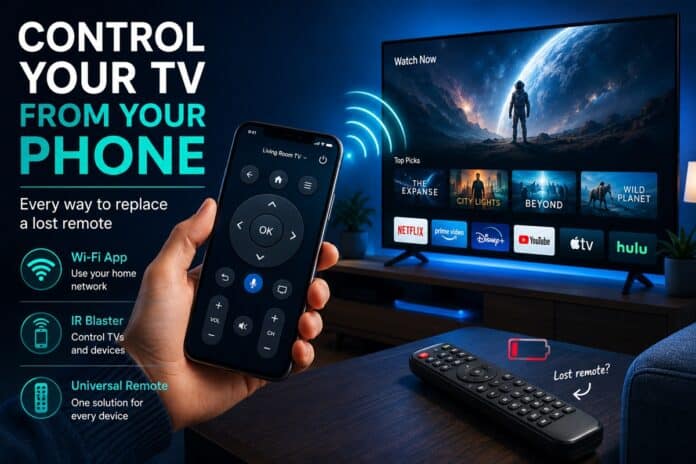

Quick answer: If your TV is already on Wi-Fi, you can replace a lost remote in about two minutes with a phone app — Roku, Google Home, Fire TV and Hisense VIDAA all support it. If the TV isn’t connected yet, you need an infrared phone, a universal remote, or the physical buttons on the set to finish setup first.
Step 1: Which platform does your TV actually run?
The brand on the bezel tells you almost nothing. Hisense alone ships four different systems depending on model and region — VIDAA, Roku TV, Google TV and Fire TV. TCL does the same.
The fastest check: press the Home button on the TV itself (most sets have physical buttons underneath the panel or behind the bottom-right corner) and look at the interface. The most reliable check is on the TV itself: open Settings, then System (or Device) and About — the platform name is printed there.
If you can’t reach Settings without a remote, read the home screen instead: a left-hand menu with Home, Search and Streaming Channels means Roku; tabs across the top such as For You, Live and Movies mean Google TV; a top row starting with Find and Home means Fire TV. Anything else on a Hisense is almost certainly VIDAA.
If the TV won’t turn on at all, check the model sticker on the back — the platform is usually printed there.
Roku TV: the easiest one to rescue
Roku TVs have a documented local control protocol on port 8060, which is why they are the easiest to take over from a phone. The official Roku app handles the basics once your phone is on the same network. There are also browser-based tools — an online Roku TV remote works straight from a phone or laptop without installing anything, which helps when your storage is full or you’re using someone else’s device.
One catch: the phone and the TV must be on the same network. Not the same house — the same network. A TV on the 2.4 GHz band and a phone on 5 GHz are effectively on different networks and won’t see each other, and guest Wi-Fi is isolated by design.

VIDAA: the platform on most Hisense sets sold in Nigeria
VIDAA is Hisense’s own system, and it pairs differently: the phone app finds the TV over Wi-Fi, then asks you to confirm a 4-digit code shown on screen. That code is the step people miss — if nothing appears on the TV, the app hasn’t found it, and you have a network problem rather than an app problem.
Remote apps built for Hisense cover the full layout, including volume, input switching and the number pad — which matters when you’re typing a Wi-Fi password letter by letter with an on-screen keyboard.
Google TV, Android TV and Fire TV
Google TV sets are controlled from the Google Home app: open it, pick the TV under your devices, and a remote with a touchpad appears. The real advantage is voice search — dictating a film title beats typing it on a TV keyboard. Older Android TV sets still work with the standalone Android TV Remote Control app.
Fire TV Edition sets use the Fire TV app, which mirrors the physical remote almost exactly, including a keyboard for search fields. Pairing takes a few seconds, and your Amazon account doesn’t need to match the one on the TV — the app connects to the device on the network.
What if the TV isn’t on Wi-Fi yet?
Everything above assumes the TV is already connected. If it isn’t — a new set, a factory reset, or a router change — the phone route is closed until setup is done, and setup normally needs a remote. Three ways out:
An Android phone with an IR blaster. Models from Xiaomi, Poco and some Samsung lines still ship with infrared and a built-in remote app. It talks to the TV exactly like the original remote, no network involved.
– A universal remote. A few thousand naira, permanent fix, and Hisense codes are printed in the manual or on the maker’s site.
– The buttons on the TV itself. Most sets navigate the setup wizard with a single button: short presses cycle through options, a long press confirms. Slow, but it gets you onto Wi-Fi — after which your phone takes over.
Why won’t the app find my TV?
Nine times out of ten it’s the network, not the app. Run through these in order:
– Same band. Reconnect the phone to the 2.4 GHz network if that’s what the TV uses.
– AP isolation off. Some ISP routers ship with it enabled, which stops devices seeing each other.
– Restart properly. Not standby — unplug the TV at the wall for 30 seconds. Smart TVs cache network state aggressively.
– Check the TV’s own network screen. A different network name there is your answer.
– Turn off VPN on the phone. A VPN routes traffic away from the local network and the TV disappears.
Which method should you use?
Roku TV — fastest fix: the Roku app or a browser remote. Works without installing anything: yes, via browser.
VIDAA (Hisense) — fastest fix: a Hisense-compatible remote app. Needs an install.
Google TV — fastest fix: the Google Home app. Needs an install.
Fire TV Edition — fastest fix: the Fire TV app. Needs an install.
Not on Wi-Fi yet — fastest fix: an IR phone, a universal remote, or the buttons on the TV.
FAQ about using your Phone as a remote control for your TV
Can I use my phone as a TV remote without Wi-Fi? Only with an infrared phone or a universal remote. Every app-based method needs the TV and phone on the same local network.
Does the phone need to be the same brand as the TV? No. Control happens over the network, so an iPhone controls a Hisense, TCL, or Roku set the same way an Android phone does. Apps such as the Roku app, Google Home, or HiRemote for Hisense sets all work this way.
Will a phone app work if the TV is turned off? Usually yes, if the TV supports network standby — the set keeps its Wi-Fi radio alive so a power command can reach it. If that setting is off, you’ll need to press the physical power button once.
Is a phone remote as fast as the original? For volume and navigation, yes. For typing, it’s much faster. Where physical remotes win is muscle memory — you can use them without looking.
A phone won’t replace a plastic remote for everyone. But as a backup, it costs nothing, sets up in minutes, and turns a lost remote from an emergency into a minor annoyance.




