

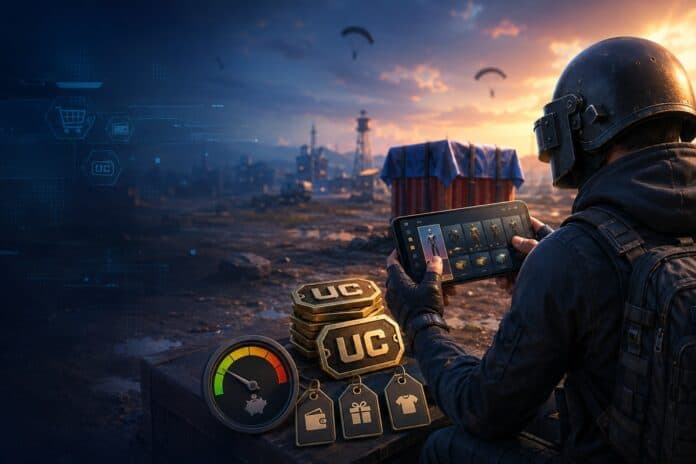
PUBG is all about tense firefights and smart positioning, but there’s a whole other layer of the game built around cosmetics and premium rewards. The game does not require you to spend money to play. However, the moment you want to unlock passes, dress up your character, or chase event items, you’ll have to. That is where Unknown Cash (UC) comes in.
Before buying UC, it’s important to understand what it is, how pricing works, and which items are worth your money. Here’s a quick rundown, along with a few habits that can help you avoid overspending.
What Is PUBG UC?
UC is the premium currency in PUBG Mobile. It’s not something you grind for in normal matches — you buy it with real money.
Once you have it, you can spend it on the optional stuff: premium passes, character outfits, weapon finishes, crates, and event rewards. None of it wins you matches. Aim, teamwork, and game sense still decide who takes the chicken dinner. What UC buys you is customization and faster progress through the paid reward tracks.
And since it costs real money, it’s healthiest to treat UC like any other entertainment expense — worth a second thought before you tap “buy.”
What You Buy with PUBG UC
What’s on offer shifts constantly, especially when a new season, collaboration, or limited event drops. But a few categories come up repeatedly.
Royale Passes
For active players, the Royale Pass is often the single best thing to spend UC on. Each season it hands you a run of missions and rewards to work through.

As you climb the pass ranks, you unlock outfits, weapon finishes, emotes, vouchers, and more. If you’re logging in regularly and actually finishing the objectives, the value adds up fast.
Just check the season’s reward line-up first — and be honest about whether you’ll have time to grind it out.
Character Outfits
Outfits range from grounded military gear to full-on themed costumes. You can buy some directly with UC, or pick them up as rewards in certain events.
They won’t make you shoot straighter, but they’re how you make your character look like yours.

Weapon Finishes
Weapon finishes change how your gun looks in a match — some come with detailed artwork, themes, or effects that level up over time.
Collectors love them, but the premium ones can cost a serious amount of UC. Before you commit, look at the full price and any upgrade requirements, not just the sticker price.
Crates and Lucky Draws
Crates and lucky draws are the randomized route. You might pull an outfit, a weapon finish, an emote, materials — it’s a gamble each time.
There’s no guarantee you’ll get the item you want. If your budget is tight, check the published odds, guaranteed-reward milestones, and event rules before spending UC.
Limited Time Events
PUBG Mobile regularly hosts themed events and collaborations. These events often feature exclusive costumes, vehicle finishes, companions, and collectibles that disappear when the event ends.
The time limit is meant to encourage quick spending. This is why it is a good idea to pause first and decide whether you truly want the item or are simply reacting to fear of missing out (FOMO).
Room Cards and Other Items
UC also covers a handful of utility items—certain room cards and the odd event product. What’s available shifts by version, region, and whatever promotion is live at the time.
Always read the item description before you confirm, so you know exactly what it does and how long it lasts.
How Much Does PUBG UC Cost?
UC comes in bundles, and as a rule, the bigger the bundle, the less you pay per unit.
There’s no fixed global price, though. What you actually pay hangs on a mix of things:
- Country or region
- Local currency
- Platform
- Applicable taxes
- Payment method
- Bonus-UC promotions
- Package size
- Exchange-rate swings
Bundle contents and prices move around, so trust the live checkout total over any old price list you’ve seen. Check the UC amount in the package and confirm whether any bonus is permanent or promotional. Also, check whether extra fees appear before checkout.
If you want to compare packages side by side, the pubg uc shop lays out PUBG Mobile top-up options in one place, which makes it easier to weigh bundle sizes before you settle on an amount.
How to Choose the Right UC Package
Bigger isn’t automatically better. The right package comes down to what you’re buying and how often you play.
Open PUBG Mobile first and check the exact UC price of the item, pass, or event you’re eyeing. Then pick a bundle that covers it without leaving a big awkward balance behind.
Say you’re a regular player planning to finish the Royale Pass — a bundle sized to that cost makes sense. A casual player after one small cosmetic is better off with something smaller.
Set a spending limit before you start browsing, too. It’s the easiest way to avoid a string of “it’s only small” purchases that quietly pile up.
Smart Ways to Spend PUBG UC
A few simple habits go a long way toward getting more out of every UC purchase.
Prioritize Predictable Rewards
Direct buys and reward tracks with clearly listed benefits are far easier to judge than random systems. If there’s a specific item you want, buying it outright beats gambling on crate after crate.
Evaluate the Royale Pass First
For active players, one Royale Pass can deliver a stack of rewards for a single purchase — but only if you actually play. Look over the missions, the season length, and the headline rewards before you buy. If you know you won’t be online much that season, hold onto your UC.
Wait Before Buying Limited-Time Items
Scarcity has a way of making something look more tempting than it really is. When you can, sit on a big purchase for a day. If you still want it tomorrow, it’s a far more considered decision.
Calculate the Full Cost of Upgradeable Items
Grabbing an upgradeable weapon finish is often just the down payment. Unlocking the later levels and effects can call for extra materials or currencies. Add up the whole upgrade path, not just the first purchase.
Use Promotions Selectively
A bonus-UC promo is great when you were already going to buy something. It’s a shakier reason to spend on its own. Either way, check the terms, the eligible package, the expiry date, and the final amount before you check out.
Keep a Small Entertainment Budget
Pick a weekly or monthly figure that sits comfortably within your finances. Once you hit it, wait for the next period before topping up again. It keeps your spending easy to track — and keeps the game feeling like fun rather than a running tab.
How to Top Up PUBG UC Safely
Whenever real money meets your game account, security comes first.
Stick to official or well-established payment channels, double-check the web address, and read the order details before you confirm. A legit top-up only needs enough information to identify the account receiving the UC. If a service starts asking for things it shouldn’t — your account password, say — treat that as a red flag.
Run through this before you confirm an order:
- Verify your PUBG Mobile player ID (UID).
- Make sure the package matches what you meant to buy.
- Check the region and server requirements.
- Review the final price, fees, and taxes included.
- Save the order confirmation or receipt.
- Confirm the UC actually landed in the right account.
If you’re topping up PUBG Mobile — or one of the other supported games — you can also use LootBar top-up. As with any purchase, checking the package details and entering the correct player info keeps everything running smoothly.
Common UC Spending Mistakes to Avoid
The most common slip is spending UC with no plan. Browse crates and events without a budget, and you’ll rack up a handful of small transactions that add up before you notice.
A few others worth dodging:
- Buying UC for the wrong region or account
- Entering the wrong player ID (UID)
- Banking on a specific random reward without checking its odds
- Grabbing a Royale Pass too late to finish the missions
- Overlooking the cost of upgrading premium items
- Assuming a temporary bonus will always be there
- Spending more just to burn a small leftover balance
- Skipping the final transaction total
Reading the rules and purchase details takes a couple of minutes and saves a lot of regret.
Frequently Asked Questions About PUBG UC
Is UC required to play PUBG Mobile?
No. You can play the whole game without spending on UC. It’s for optional extras—cosmetics, passes, events, and the like.
Does buying UC improve gameplay skills?
Not at all. UC is no substitute for practice. Winning still comes down to aim, positioning, map awareness, communication, and good decisions.
Can PUBG UC prices change?
Yes. UC prices change depending on region, platform, taxes, exchange rates, bundle size, and current promos. Always check the live total before you buy.
Are crates guaranteed to contain the item I want?
No. Crates and draws run on randomized rewards. Check the stated odds, event rules, and any guaranteed milestones before you spend.
Is a larger UC bundle always better value?
The cost per unit is usually lower, sure — but it’s only a good deal if you’ll actually use it all. Buying more than you need just nudges you toward spending more.
What should I do if UC does not arrive?
Start by checking the player ID and order status. Hold onto your receipt and transaction reference, then reach out to the payment provider or top-up service’s support with those details.
Conclusion
UC opens the door to PUBG Mobile’s premium passes, outfits, weapon finishes, events, and everything else on the optional menu. How best to use it really depends on you — what you like, how often you play, and what you’re willing to spend.
The formula for spending well is simple enough: know what you want before you top up, compare current bundle prices, lean toward guaranteed value, and go easy on the randomized stuff. Above all, set a budget you’re comfortable with and double-check every transaction. Do that, and you get to enjoy the premium side of PUBG Mobile without your spending getting away from you.




