

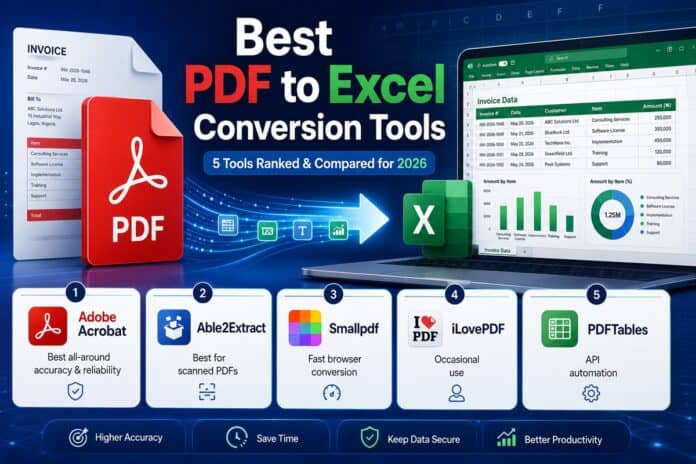

| Quick Answer: Among PDF to Excel Conversion Tools, Adobe Acrobat is the easiest for most people in 2026, converting a PDF into an XLSX file in a browser in two clicks and already used for more than 11 million file conversions in the past 18 to 24 months. For scanned bank statements or invoices that need manual correction of merged cells and multi-column layouts, Able2Extract Professional from Investintech is the stronger pick, since its Custom Excel conversion mode lets you redraw table boundaries before converting. This roundup compares five PDF to Excel Conversion Tools on layout and formatting retention, OCR support, and pricing for accountants, analysts, and everyday office users. |
This guide evaluates five PDF to Excel Conversion Tools, Adobe Acrobat, Able2Extract Professional, Smallpdf, iLovePDF, and PDFTables, against three criteria: how well each preserves the original layout and formatting of a converted table, whether scanned PDFs are supported through OCR, and how transparent the pricing is.
It’s written for accountants, financial analysts, and office workers who need to convert PDF to Excel without manually retyping a table by hand. Each tool below was evaluated using official feature documentation and direct testing of the conversion interface rather than secondhand summaries, so the capability and pricing claims here can be checked at the source.
Adobe Acrobat is the best starting point for most everyday conversions because it works entirely in the browser with no installation, though Able2Extract Professional from Investintech is the stronger choice when a scanned document’s layout needs manual correction before conversion.
How the 5 PDF to Excel Conversion Tools Compare
| Tool Name | Free Tier | Layout & Formatting Retention | Platform | Best For | File/Page Limits | Standout Feature |
| Adobe Acrobat | Yes, limited free online conversions | Automatic table/column detection into XLSX | Web, Windows, Mac, iOS, Android | Office workers needing a fast one-off browser conversion | Export PDF plan $1.99/mo for unlimited | Over 11M files converted in 18-24 months |
| Able2Extract Professional | 7-day free trial, exports watermarked | Custom Excel mode: manually redraw row/column bounds | Windows, Mac, Linux (desktop); Web, iOS, Android (online) | Accountants correcting scanned bank statements | $49.95/30-day license or $199.95 lifetime | AI-powered Custom Excel Templates for recurring layouts |
| Smallpdf | Yes, 2 tasks/day, 5MB max file size | Preserves row/column structure for native PDFs; no free OCR | Web, Windows, Mac, iOS, Android | Individuals needing occasional single-file conversion | Team plan $7/user/month billed annually | Over 1 billion files processed across 21 tools |
| iLovePDF | Yes, free batch conversion (native PDFs) | Batch converts multiple native PDFs; OCR is Premium-only | Web, Windows, Mac, iOS, Android | Teams batch-converting several reports for free | Premium $9/month unlocks OCR, unlimited use | Over 180 million monthly visits |
| PDFTables | No, free account needed to buy credits | Algorithm reads item spacing to detect rows/columns | Web, API (no desktop/mobile app) | Developers automating extraction into a data pipeline | Credit-based, starting near $30/user/year | Up to 12 pages/second via scriptable API |
Adobe Acrobat
Adobe Acrobat is built for office workers and small business owners who need to convert PDF to Excel quickly in a browser without installing desktop software.
Adobe Acrobat is the fastest way to convert PDF to Excel for a one-off document, turning a PDF’s tables into editable XLSX rows and columns in two clicks directly in a web browser, with no software to install.

Adobe’s convert PDF to Excel tool lets you drag and drop a PDF, automatically detects tables and columns, and outputs an XLSX file you can edit directly in Excel for the web after signing in.
Key Features:
- Automatic table and column detection that maps a PDF’s tables directly into Excel rows and columns during conversion.
- Output is in XLSX format and editable immediately in Excel for the web after signing in to an Adobe account.
- Conversion works across five platforms via any web browser: Windows, Mac, Linux, iOS, and Android, with no desktop installation required.
- More than 11 million files converted through the tool over an 18- to 24-month period, according to Adobe’s own usage figure.
- A 4.6 out of 5 user satisfaction score across more than 110,000 votes on the conversion tool’s own feedback widget.
Pricing: Adobe’s browser-based PDF to Excel conversion is free with limited use; signing in to save or share files requires a free Adobe account. Unlimited conversions require an Acrobat plan, with the Export PDF option starting at $1.99/month and full Acrobat Pro plans running higher for editing and e-signature features.
Platforms: The online converter works in any browser on Windows, Mac, Linux, iOS, and Android; desktop Acrobat apps are also available for Windows and Mac.

Best for office workers and small business owners who need a fast, one-off PDF to Excel conversion without installing software.
Able2Extract Professional
Able2Extract Professional, made by Investintech, is built for accountants and financial analysts who need to convert scanned bank statements or multi-column invoices into precise Excel tables, not just a quick one-off conversion.
Able2Extract Professional is the strongest PDF to Excel conversion tool for scanned, multi-column documents, since its Custom Excel conversion mode lets users manually redraw table row and column boundaries before converting, correcting merged cells and rotated text that automatic converters often misread.
Investintech documents the full conversion workflow, including its official Investintech PDF to Excel page, showing exactly how automatic and custom conversion modes differ.
Key Features:
- Custom Excel conversion mode that lets a user manually preview and redraw row and column boundaries before the file converts, correcting complex multi-column layouts.
- AI-powered Custom Excel Templates that can be trained on a recurring PDF layout, such as a monthly invoice, and reapplied automatically during batch conversion of similar files.
- Built-in OCR for scanned PDFs, included at no extra cost during the 7-day free trial before a paid license is required for ongoing use.
- Automated batch conversion of multiple PDFs or entire folders into Excel, CSV, or OpenOffice ODS format in a single job.
Pricing: Able2Extract Professional offers a 7-day free trial that watermarks exported files. After the trial, a 30-day single-user license costs $49.95, and a lifetime license costs $199.95, with upgrade pricing available for future versions.
Platforms: Able2Extract Professional runs as desktop software on Windows, Mac, and Linux; Investintech also offers Able2Extract Online, a browser-based version covering Windows, Mac, Linux, iOS, and Android.
Best for accountants and financial analysts who need to manually correct scanned bank statements or invoices before converting to Excel.
Smallpdf
Smallpdf is built for individuals and small teams who occasionally need to convert PDF to Excel and want a clean, mobile-friendly interface rather than a feature-heavy suite.
Smallpdf converts native, text-based PDF tables into editable XLSX files while keeping row and column structure intact, though its free plan does not apply OCR to scanned pages.
Key Features:
- Native PDF table conversion that preserves row and column structure when exporting to XLSX format.
- ISO/IEC 27001 certification and GDPR compliance, with files encrypted in transit over 256-bit TLS and automatically deleted after one hour.
- A Smallpdf Desktop app for offline access in addition to the browser-based tool, available on Windows and Mac.
- Free tier limited to 2 conversion tasks a day and a 5MB maximum file size per file before a paid plan is required.
Pricing: Smallpdf’s free plan is capped at 2 conversion tasks a day and a 5MB file size limit. The Team plan costs $7 per user per month billed annually and removes both the daily task cap and the file size limit while adding batch processing.
Platforms: Smallpdf is available on Web, Windows, Mac, iOS, and Android, plus a downloadable desktop app for offline use.
Best for individuals and small teams who need occasional, single-file PDF to Excel conversions with a clean, mobile-friendly interface.
iLovePDF
iLovePDF is built for teams that want to batch-convert several PDF reports to Excel at once before ever paying for a plan.
iLovePDF’s free Basic plan allows batch conversion of multiple native PDF files to Excel in a single task, a capability most free competitors reserve for a paid tier, though scanned PDFs still require OCR available only on the Premium plan.
Key Features:
- Free batch conversion of multiple native PDFs into Excel spreadsheets in one queued task, without a per-day conversion cap.
- OCR support for scanned PDFs gated behind the Premium plan rather than included in the free Basic tier.
- Integration with Google Drive, Microsoft Excel, and Microsoft PowerPoint for pulling files directly from cloud storage before conversion.
- Over 180 million monthly visits to the platform, making it one of the most widely used free PDF toolkits online.
Pricing: iLovePDF’s free Basic plan supports batch conversion of native PDFs with no daily task limit, though OCR and unlimited document processing require the Premium plan at $9 per month.
Platforms: iLovePDF is available on Web, Windows, Mac, iOS, and Android.
Best for teams that want to batch-convert several PDF reports to Excel for free before committing to a paid plan.
PDFTables
PDFTables is built for developers and analysts who need to automate PDF-to-Excel extraction inside an existing data pipeline rather than upload files by hand.
PDFTables is the PDF to Excel Conversion Tools pick built specifically for automation, exposing a scriptable web API that processes conversions at up to 12 pages per second with official client libraries for Python, Node.js, Go, PHP, C#, R, and VBA.
PDFTables publishes its official API documentation along with example scripts on GitHub for direct integration into a data pipeline.
Key Features:
- A scriptable web API that converts PDFs into XLSX, CSV, XML, or HTML, with XML output structured as HTML-style tables for further parsing.
- Processing speed of roughly 3 to 12 pages per second, depending on server load, streaming the converted output back immediately.
- An algorithm that reads the spacing between items in a PDF to identify rows and columns rather than relying on a fixed template.
- Official client libraries and example scripts published on GitHub for Python, Node.js, Go, C, C++, PHP, C#, R, and VBA.
- Credit-based pricing charged per page rather than per file, so cost scales directly with document volume rather than a flat subscription.
Pricing: PDFTables has no ongoing free conversion tier; a free account is required just to purchase and track page credits, which start at roughly $30 per user per year.
Platforms: PDFTables is available as a web tool and a documented API; there is no dedicated desktop or mobile app.
Best for developers and analysts automating PDF-to-Excel extraction into an existing data pipeline.
How to Choose the Right PDF to Excel Conversion Tool
- If the PDF is scanned rather than natively digital and the layout needs manual correction, prioritize a tool with custom table redrawing rather than fully automatic conversion. Able2Extract Professional’s Custom Excel conversion mode lets you fix merged cells and rotated text by hand; Smallpdf’s free tier skips OCR entirely.
- If you need to convert PDF to Excel as part of a scripted, automated workflow rather than by hand, prioritize a tool with a documented API. PDFTables is built specifically for this, with official client libraries for Python, Node.js, and several other languages.
- If you’re converting native, text-based PDFs occasionally and want the broadest device coverage with no install, prioritize a browser-based tool. Adobe Acrobat and Able2Extract Online both run in a browser across five platforms, including iOS and Android.
- If you need to batch-convert several PDF reports at once without paying upfront, prioritize a free tier built for batch work rather than single-file conversion. iLovePDF’s free Basic plan supports batch conversion, while Smallpdf’s free plan caps use at 2 tasks a day.
Frequently Asked Questions on PDF to Excel Conversion
How do I convert a PDF to Excel while keeping the original layout and formatting?
For native, digitally created PDFs, Adobe Acrobat’s browser-based converter maps tables directly into Excel rows and columns in two clicks. For scanned documents where the layout has shifted, or cells have merged, Able2Extract Professional’s Custom Excel conversion mode lets you manually redraw table boundaries before the $49.95 30-day license converts the file.
What does Investintech’s Able2Extract convert PDF to Excel tool do differently?
Investintech’s official PDF to Excel page, which powers Able2Extract Professional, adds a Custom Excel conversion mode that lets users manually adjust row and column boundaries before conversion, correcting merged cells and rotated text that fully automatic converters often misread. It also supports AI-powered Custom Excel Templates that can be trained on a recurring layout, like a monthly invoice, and reused during batch conversion.
Is there a free tool to convert PDF to Excel for scanned documents?
Able2Extract Professional includes OCR at no extra cost during its 7-day free trial, though exported files carry a watermark until you purchase a $49.95 license. Free tools like Smallpdf and iLovePDF don’t apply OCR to scanned pages at all on their free tiers, so a scanned PDF needs a paid plan on either of those two.
How do I convert PDF to Excel in bulk without paying for a plan first?
iLovePDF’s free Basic plan allows batch conversion of multiple native PDF files to Excel in a single task, a capability most free competitors reserve for a paid tier. PDFTables offers batch-style automation too, but only through its credit-based API, which starts at roughly $30 per user per year rather than a free batch option.
What’s the cheapest way to convert PDF to Excel with an API for automation?
PDFTables is built specifically for this, exposing a scriptable web API priced on a per-page credit system starting near $30 per user per year, with official client libraries for Python, Node.js, Go, PHP, C#, R, and VBA published on GitHub. It processes conversions at up to 12 pages per second, which matters for anyone automating extraction across hundreds of documents.
Conclusion
Across these five tools, the real divide is between quick, fully automatic conversion and tools that let you manually correct a document’s layout before it becomes a spreadsheet. Adobe Acrobat and Smallpdf both handle native, text-based PDFs well with no installation required, while Able2Extract Professional from Investintech is the stronger choice once a scanned document’s rows, columns, or merged cells need manual correction.
iLovePDF fills the gap for free batch conversion, and PDFTables serves developers who need to convert PDF to Excel as part of a scripted pipeline rather than by hand. For most everyday conversions, Adobe Acrobat remains the top recommendation among PDF to Excel Conversion Tools, since it works in any browser across five platforms and has already converted more than 11 million files without requiring any software installation.




