


AI applications are making it easier for creators to go viral on TikTok by automating tedious production tasks like outlining, clipping, captioning, and reframing videos. Higher production equals more posts, more hook tests, and faster lessons learned about what people like. You’re still providing the idea and the point of view.
This is the angle that most guides overlook: AI alone will not make a video go viral. It allows for inexpensive experiments. Nearly all public videos came from regular posting: Pew Research Center’s 2023 analysis of TikTok videos posted by US adults revealed that almost all public videos were generated by the top 25% of users who are posting the most videos. AI apps are making it easier for more people to be a part of that group.
Four Jobs AI Handles Well
In 2026, the tools creators use to grow on TikTok span four jobs and TikTok has developed a number of these into its own app.
| Job | What AI does | Where to find it |
| Ideas | Completes the hook, title and outlines. | AI Outline |
| Trends | Displays topics that are very popular. | Creator Search Insights |
| Clipping | Cuts a long video into short clips | Smart Split |
| Captions | Transcribes and formats the subtitles |
Make sure the batteries last longer by using the Smart Split, editing apps.
Plan Smarter With AI Outline.
AI Outline turns a prompt, or a highly searched topic from Creator Search Insights, into video titles, hashtags, hooks and a six-part outline, according to TikTok’s newsroom. Creators can trim the title, hone the hook and modify the script concept. It was introduced by TikTok for creators aged 18+, and has not yet been officially released in all markets – please check your region.
Edit Once, Post Many Times
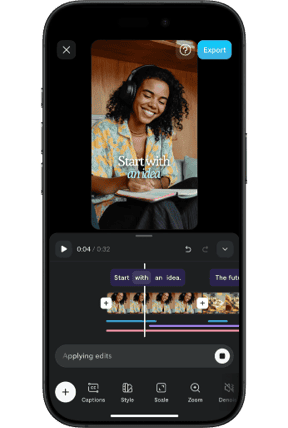
According to TikTok’s newsroom, Smart Split allows users to upload clips which can be longer than one minute, and automatically clips, reframes, captions, and transcribes the portions users choose. It’s accessible all around the world at TikTok Studio Web. A podcast or vlog turns into a bunch of posts, and each post is another test of the hook.
Label AI Content Honestly
TikTok’s transparency page states that creators are required to identify if content created using AI features realistic scenes or people and that anything created using TikTok’s own AI effects is automatically labeled. It also supports reading C2PA Content Credentials, a metadata standard, and can mark the AI content inserted by some other platforms. If you have clear rules like this, viewers know they are safe, which means that your channel is safe.

Brand Deals Get Easier
TikTok announced Symphony Agent at Cannes Lions on June 22, 2026, and its newsroom states that within TikTok One, brands can create creator briefs, invite creators at scale and source creators who speak certain languages. For creators, it is because having a niche and posting regularly will make you easier to find and AI assistance in production will help you establish both.
Keep Your Voice Human
AI Comparison has one comparison guide citing that now there are thousands of accounts with the same templates and AI voices. It’s a good warning, not a good excuse not to. Use AI for caption, clipping, and structure, maintain the hook, face and opinion. But that combination is what makes a viewer follow you and not the trend.
What the Evidence Shows
TikTok has room to grow as 52% of all U.S. adults have used TikTok at least once, according to Pew. While it may be true that large view gains can be achieved with AI editing, I haven’t seen any independent research quantifying this so don’t believe anything I hear about it being a page seller. The recorded advantage is efficiency, and you can use that to improve your hooks.
Quantified the change brought by AI. Count the number of videos you release per week, how long each lasts and how long the viewer will watch the first 15 seconds of your video. If production time declines, and viewing remains unchanged, then the app is doing its job. When the views go down, tweak the hook before switching the tool. Little, small tests outperform large claims.
A Simple Weekly Workflow
Try this routine:
- Choose 5 topics from Creator search insights and create outline.
- Video a single, long, casual shot of your best topic.
- Check all captions carefully after running through Smart Split.
- Post the clips all week long and see what hooks keep viewers engaged.
When you’re just beginning, use these in tandem with a free AI video editor for TikTok to try out the entire workflow before investing anything.
Final Thoughts
AI apps won’t take the place of your voice. They provide it with more opportunities to be heard. This week, use one outline and one long take and record the results; what is automated next should be based on these results.
FAQs
Are AI apps a sure bet for going viral on TikTok? No. They help you to plan and edit faster, allowing you to post and test more often, but they do not replace the idea!
Should I mark AI generated videos as such? TikTok calls for tags to be attached to AI-generated content depicting realistic scenes or humans. Review the TikTok policy for your use.
Can the Smart Split be used all over the world? According to TikTok, it can be accessed worldwide in TikTok Studio Web. AI Outline is introduced to the U.S., Canada and a limited number of markets.