

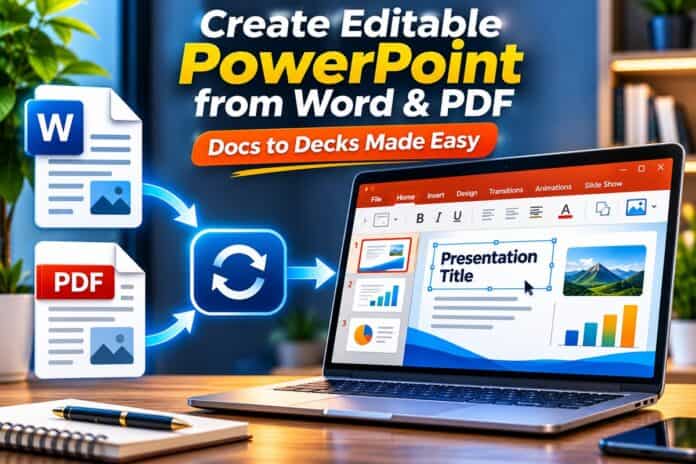
To turn a document into an editable PowerPoint deck, save it as a PDF and upload it to Adobe Acrobat’s PDF to PPT tool. Adobe says each PDF page becomes a slide, and the original styling is kept, and you can sign in to edit the file in PowerPoint for the web. Its page describes conversion, not AI writing.
This article is for people who want user-friendly ways to import a document and get slides that stay editable in PowerPoint.
Help Importing a Word Document Into a Presentation With Editable PowerPoint Slides
To import a Word document into a presentation with editable PowerPoint slides, use PowerPoint’s own outline import, Microsoft Copilot in PowerPoint, MagicSlides, Presentations.AI, or Decktopus, or save the file as a PDF for Adobe Acrobat.
Microsoft’s support page says a Level 1 heading becomes a slide title and a Level 2 heading becomes a bullet point. Presentations.AI’s page says it accepts .doc, .docx, and .rtf files and returns an editable deck. Test one edit in each result, and keep your original Word file as a backup.
| Platform | Best For | Key Details |
| PowerPoint outline import | A Word outline with heading styles and your own wording | Microsoft says Heading 1 becomes a slide title; desktop only; no AI involved |
| Microsoft Copilot in PowerPoint | A draft deck built inside PowerPoint | Microsoft’s guide says Copilot turns documents such as reports and proposals into editable presentations |
| MagicSlides | A free AI draft from a DOCX file | Its page says the slides stay editable and work in PowerPoint and Google Slides |
| Presentations.AI | Word files in DOC, DOCX, or RTF format | Its page says an editable .pptx deck; its homepage says to upgrade for PowerPoint export |
| Decktopus | A new deck from an uploaded file, with PPT export | Its page says you upload a file as a resource, and export to PDF, PPT, or PNG |
| Adobe Acrobat PDF to PPT | A Word file saved as a PDF that must keep its layout | Each PDF page becomes a slide; edit in PowerPoint for the web when you sign in |
- Heading styles: Microsoft’s support page says that if a Word document has no Heading 1 or Heading 2 styles, PowerPoint creates a slide for each paragraph.
- Desktop only: Microsoft’s support page says creating a presentation from an outline is not supported in PowerPoint for the web, and that PowerPoint for macOS imports only Rich Text Format files.
- MagicSlides upload: its page says you upload a DOCX file and the AI creates a slide structure automatically.
- Close the file: Microsoft’s support page says the Word document must be closed before you insert it into PowerPoint.
- Vendor claims: the details for the other tools come from their own pages, so confirm current limits and plans before you upload.
Docs to Decks: Presentation Tools That Export PowerPoint
Docs to decks tools that export PowerPoint include Decktopus, MagicSlides, Presentations.AI, Microsoft Copilot, and Adobe Acrobat, but the export rules differ. Decktopus’s page says it exports to PDF, PPT, and PNG, each in standard or compressed quality.
MagicSlides’ page says its slides stay editable and compatible with PowerPoint and Google Slides. Presentations.AI’s homepage says to upgrade when you need PowerPoint export. Adobe’s page says you download the converted PowerPoint file. Confirm that your plan includes the export, then open the exported file in PowerPoint to test an edit.
- Native in PowerPoint: Microsoft’s Copilot guide says you attach the Word file in the Copilot chat and ask it to turn the document into a presentation.
- AI steps: its Word to PPT page lays out a six step process from uploading the document to converting it with one click.
- Free claims: MagicSlides’ page describes its DOCX to PPT converter as free, which is the vendor’s claim, and Adobe’s page describes its converter as free.
- Google Slides:AI’s homepage says decks export to PowerPoint or Google Slides, and MagicSlides’ page says its slides work in Google Slides.
- Redesign: Decktopus’s page says you can also upload an existing file and have it redesigned while your content stays as it is.
- Check editability: open the exported file and change a word, a number, and a picture before you share it.
Import a Document, Create a Presentation, and Export to PowerPoint
To import a document, create a presentation, and export to PowerPoint, prepare the document with clear headings, upload it to a tool that accepts your file type, review the slides, and then download the PPTX. Microsoft’s Copilot guide says to structure a Word document with clear headings, concise sections, and supporting details first.

The guide also says some file types and text elements may prevent a successful conversion. Check the finished deck against the original, and keep the original document open while you review.
- Inside PowerPoint: Microsoft’s Copilot guide says the file to presentation workflow runs inside the Copilot chat in PowerPoint without any third party tools.
- Best source documents: Microsoft’s Copilot guide says multi page reports, proposals, and briefs contain the headings and summaries that suit a presentation draft.
- One file at a time: Microsoft’s Copilot FAQ says Copilot supports one file at a time, and that home plans use Word while work plans can also use a PDF.
- Summary slides: Microsoft’s Copilot guide says Copilot can generate summary slides after the conversion, for example for a stakeholder recap.
- Word upload:AI’s page says a Google Docs file should be downloaded as a .docx before you upload it.
- Keep the original: keep the editable Word file so you can check numbers, tables, and wording against the slides.
Frequently Asked Questions
Do heading styles really matter?
For PowerPoint’s outline import, yes. Microsoft’s support page says a Level 1 heading becomes a slide title and a Level 2 heading becomes a bullet point, and that a document with no heading styles produces a slide for each paragraph. Microsoft’s Copilot guide also recommends clear headings for AI drafts. Apply consistent heading styles in Word first, and your slides will follow your structure.
Why did my import create too many slides?
The document probably has no heading styles. Microsoft’s support page says PowerPoint creates a slide for each paragraph when a Word document contains no Heading 1 or Heading 2 styles. Undo the import, apply Heading 1 to slide titles and Heading 2 to bullet points in Word, save and close the file, and import it again. That produces cleaner slides.
Can I edit the slides in Google Slides too?
With some tools, yes. MagicSlides’ page says its slides are compatible with PowerPoint and Google Slides, and Presentations.AI’s homepage says decks export to PowerPoint or Google Slides. Adobe’s page says you can edit the converted file in PowerPoint for the web when you sign in. Formatting can shift between programs, so open the file in the program your audience uses and check it.
Are my documents private when I upload them?
Check each tool’s terms. Adobe’s page says your file is handled by Adobe servers and deleted unless you sign in to save it. AI tools process your content on their servers to build slides, and each describes its own handling. For confidential reports, read the privacy terms first, and consider PowerPoint’s desktop outline import, which keeps the work on your own computer.
For editable PowerPoint slides from a document, use an outline import or an AI tool that exports a native file, and test an edit before you share the deck.