


Every tool in this category promises you can build an app by describing it. Most of them deliver. The difference shows up about forty minutes later, when what you built is 90% right and you need to change the last 10%.
So when people ask about the easiest Replit alternatives, I rank them by how fast a non-programmer gets from working to correct. Anyone can reach a demo now.
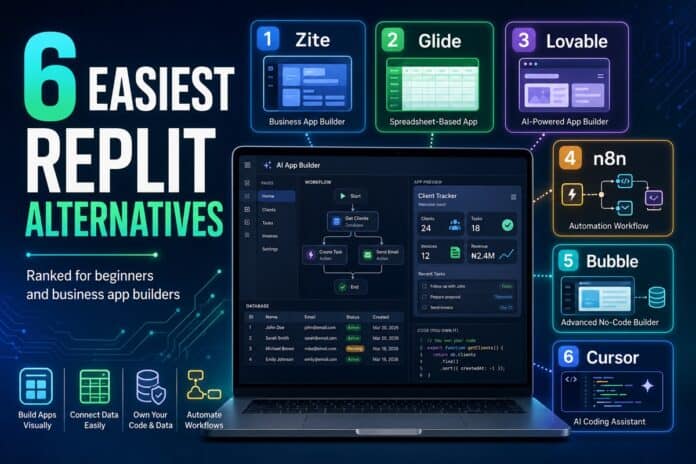
On that measure, Zite is the easiest Replit alternative in 2026 for business software, because you can open the finished app, read its logic as a flowchart, and change it directly.
What makes a Replit alternative easy?
Ease has three moments, and most tools are good at one or two of them.
The first is the blank page. You describe what you want and something appears, and nearly every tool here has solved this, which is why the demos all look alike.
The second is the first change. A field is wrong or a rule needs adjusting, and suddenly you have to find where that logic lives.
The third is the first handoff, when somebody who didn’t build the thing has to keep it running. It’s the stage that’s hardest to judge before you’ve lived through it.

A tool is only as easy as its worst moment of the three.
Easiest overall for business apps: Zite
This is what I point people to when they need a real internal tool and have no plans to learn how to code.
You describe the app and it builds the interface and the database together, tables and fields already in place.
The reason it holds up at moments two and three is the visual workflow editor. The AI writes the workflows, and you can open any one of them and read it step by step, so fixing a rule means finding it on a flowchart.
The database is spreadsheet-like on the surface with a real database underneath, so correcting a bad record looks like editing a cell, which is a thing most teams can already do.
Permissions come built in. Apps stay internal by default, and you publish externally only when a client needs to log in.
Pricing as of July 2026 is $19 per month on Pro billed monthly, with a free plan available, and unlimited users on every tier.
Honest limits: it’s a newer platform with fewer templates than Bubble has, and there’s no code export. Background automations are also still limited, so scheduled runs and outside triggers aren’t available yet.
Easiest if your data lives in a spreadsheet: Glide
Glide is the easiest Replit alternative when your data already sits in a spreadsheet.
It reads your sheet and hands back a working mobile and web app on top of it, which clears the blank-page moment in about as long as it takes to grant access.
Changes stay easy too, as long as they’re changes a spreadsheet can express.
That’s also the ceiling. Once you need real relationships between records the model starts working against you, and the Business tier bills $6 for each additional user monthly past the 30 included.
Easiest way to end up owning the code: Lovable
Lovable is the easiest route if you want working software and the code underneath it.
You describe the app, it produces a full web version, and the code is yours, which makes a later handoff to a developer a genuine handoff.
Moment two is where it gets harder. Adjustments happen either by prompting again or by going into the code, and neither is as direct as editing a rule you can see.
Costs run on credits, so a heavy build week costs more than a light one. Dyad covers similar ground if you want something local and open-source.
Easiest fix when the gap is between two tools: n8n
Some problems are connection problems.
n8n links the tools you already pay for and moves data between them on a trigger or a schedule, with AI steps in the middle when you want them.
Easy is conditional here. The cloud version is straightforward to set up, while the free Community Edition needs somebody on your team who is comfortable self-hosting and keeping it patched.
It also gives your staff nothing to click, so pair it with an app if people need an interface.
A real learning curve, and sometimes worth it: Bubble
Bubble is the least easy tool on this list. It’s also the right call when the app is the product you’re selling.
You get deep control over how the app behaves and a large plugin marketplace built up over a decade, which pays off once your requirements get specific enough that lighter tools start refusing them.
The cost is measured in weeks. Bubble has its own logic model, and somebody becomes the person who knows it.
For a small internal tool, that’s a lot of overhead to carry. For a product with paying customers, it’s a reasonable investment.
Easy only if someone already codes: Cursor
Cursor is the easiest option for a team that already employs a developer.
It reads your existing project and speeds up the person who can already read the output, which is a different flavor of easy from everything else here.
For anyone who doesn’t write code, none of that ease carries over.
Pricing is a free Hobby tier, $20 per month for Individual, and $40 per user per month for teams.
Where does easy stop mattering?
Easy gets you a working app. It says nothing about whether that app is safe.
Access control deserves real attention before anyone outside your team logs in, because a portal that’s easy to build is equally easy to over-share.
Data location matters as well. If you can’t open the underlying records and read them yourself, an easy tool has traded away something you’ll want back the first time a number looks wrong.
A tool that’s easy for one person can also become a single point of failure. Ease at the keyboard doesn’t produce shared ownership, which comes from naming an owner and telling them.
The test I’d run before committing to one
Pick the smallest real thing you need.
A request form that routes to the right person, a tracker with five fields, something you’d use next week. Build it in two of these tools on a free plan, which takes an afternoon in either one.
Then change your mind on purpose. Move a field, add an approval step, restrict who can see one column.
Time that second part, because the tool where that change feels boring is the easiest one for your team, whatever the demo looked like.
Frequently asked questions about the easiest Replit alternatives
What is the easiest alternative to Replit for a beginner?
Zite is the easiest starting point for a beginner building business software, because it generates the app and its database together and shows the logic visually. Its free plan covers building and sharing a working app before you pay anything, as of July 2026.
Which is easier to learn, Replit or a no-code app builder?
A no-code builder is easier for anyone who doesn’t already write code. Replit’s environment assumes comfort with code and project structure.
Does an easier tool mean a weaker app?
No, though it usually means a narrower one. Easy platforms handle common business patterns like portals, dashboards, and request trackers well, and they struggle with unusual requirements that need custom behavior.
Are the free plans good enough to test with?
Yes, the free tiers on these platforms are generally enough to build and evaluate a real app. The common limits are AI credits and editor seats, so expect to upgrade before rolling anything out to a whole team.




