

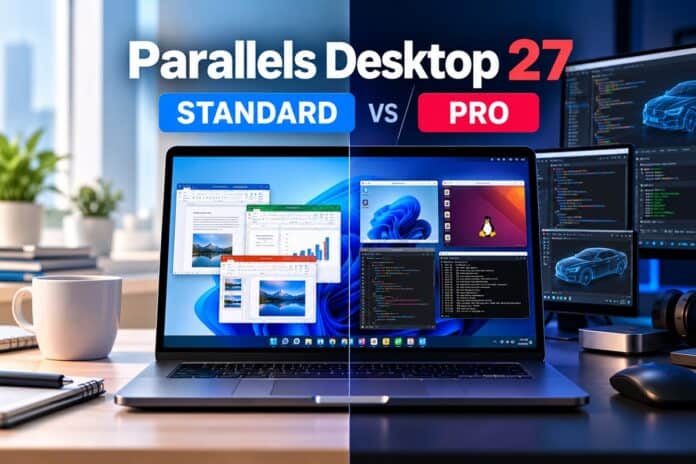

Parallels Desktop 27, announced on August 25, 2026, comes in four editions: Standard, Pro, Business, and Enterprise. For most individual Mac users, though, the real decision comes down to two: Standard or Pro. They install the same way and run Windows just as smoothly, but they’re built for very different workloads, and Pro is where most of this year’s headline features actually live.
Here’s a clear, up-to-date breakdown to help you pick the right one.
The quick answer
Choose Standard if you mainly need Windows for everyday tasks: Microsoft Office, accounting or trading software, a Windows-only business app, or light study and productivity work. It’s the home-and-personal-use edition, and it’s what almost everyone needs.
Choose Pro if you’re a developer, creator, or power user: someone running graphics-heavy Windows applications, doing serious local AI or machine-learning work, spinning up multiple virtual machines, or needing large amounts of virtual RAM and CPU plus command-line automation. The new high-end graphics driver, the developer AI package, and the big hardware limits are all Pro features.
Parallels Desktop 27 Standard vs Pro at a glance
| Standard | Pro | |
|---|---|---|
| Best for | Home users, students, Office users | Developers, creators, power users |
| Virtual RAM per VM | 8 GB | 128 GB |
| Virtual CPUs per VM | 4 vCPUs | 32 vCPUs |
| Run Windows, Office & everyday apps | Yes | Yes |
| Linux & macOS virtual machines | Yes | Yes |
| Basic 3D (DirectX & OpenGL) | Yes | Yes |
| New OpenGL 4.3 driver for graphics-heavy apps | No | Yes |
| AI/ML acceleration via Apple SME (M4/M5) | Yes | Yes |
| Parallels AI package for developers | No | Yes |
| Run multiple VMs at once | Limited | Yes |
| Command-line interface & automation | No | Yes |
| Develop, test & debug across OSes | No | Yes |
| 24/7 premium phone, chat & email support | Subscription only | Yes |
What you get with Standard
Standard Edition is the everyday choice. It runs Windows and thousands of Windows applications on your Mac, including Microsoft Office 365, accounting and trading tools, SAP, MATLAB, and more.
Parallels is known for seamless integration, with support for shared Mac files, keyboard, trackpad, camera, mic, sound, and Touch ID. Setup is genuinely one-click, with no technical expertise required, and you can also run Linux and even macOS virtual machines.

The key limits are hardware. Standard caps each virtual machine at 8 GB of virtual RAM and 4 virtual CPUs. For MS Office or general Windows use, that’s comfortable. It includes basic 3D acceleration (DirectX and OpenGL), so lighter graphical apps work fine, but it does not include the new high-end OpenGL 4.3 graphics driver or the developer AI package introduced in version 27.
One nuance worth knowing is that the underlying AI acceleration in version 27 is not Pro-exclusive. On M4 and M5 Macs, all editions, including Standard, can let Windows and Linux VMs tap Apple’s Scalable Matrix Extension (SME) instructions to speed up matrix-heavy work like local AI inference. Standard lacks the bundled developer AI package, and the RAM and CPU headroom heavier models really need.
Get 45% Off Desktop Standard Edition
What Pro adds
Pro Edition includes everything in Standard, then adds:

Far higher virtual hardware limits: up to 128 GB of virtual RAM and 32 virtual CPUs per VM, versus 8 GB and 4 vCPUs on Standard. This alone is decisive for demanding workloads.
The new Metal-based OpenGL 4.3 graphics driver: this enables graphics-intensive professional Windows apps to run well on Apple Silicon.
The new Parallels AI package: for developers and students, on top of the SME acceleration that all editions share.
Multiple simultaneous VMs: run multiple VMs at once, plus the ability to develop, automate, test, and debug across Windows, Linux, and macOS at the same time.
Parallel Desktop 27 Pro also adds A command-line interface for scripting and automation and 24/7 premium phone, chat, and email support.
The version 27 upgrades that matter most on Pro
Two of this release’s biggest additions are best experienced on Pro, so they’re worth understanding before you choose.
The OpenGL 4.3 graphics driver (Pro and up)
Parallels Desktop 27’s new Metal-based driver raises Windows-VM OpenGL support from 4.1 to 4.3 and delivers up to roughly 2.6× the performance of the previous driver. That clears the graphics requirements of more professional Windows software.
Parallels and reviewers highlight apps like ArcGIS Pro, where selected tasks ran up to 35% faster and overall workflow time dropped by up to 24%, along with ZWCAD and 3D tools such as Blender 4.3. If you run CAD, GIS, engineering, or 3D applications in Windows, this is the single strongest reason to choose Pro.
AI acceleration on M4 and M5 Macs (all editions, more headroom on Pro)
Version 27 passes Apple’s Scalable Matrix Extension instructions through to both Windows and Linux VMs on M4 and M5 chips, speeding up on-device AI and machine-learning work.
On an M4 Pro Mac, Parallels measured matrix computations up to 7× faster and neural-network inference up to 1.75× faster, benefiting tools like Ollama and llama.cpp.
The acceleration itself is available across editions, but Pro adds the dedicated Parallels AI package for developers and the far larger RAM and CPU ceilings that bigger local models need.
Get 45% Off Desktop Pro Edition
What else is new in version 27 (any edition)
A couple of release-wide changes are worth noting regardless of which edition you pick. Parallels Desktop 27 is now an Apple Silicon-native app that no longer supports Intel Macs (version 26 remains available for Intel users), and it raises the minimum host requirement to macOS 14 Sonoma.
The update also patches multiple security vulnerabilities in the virtual networking stack, virtual GPU command processing, and the VirtIO subsystem, which alone is a reasonable reason for existing users to upgrade.
Where Business and Enterprise fit
If you’re buying for a team rather than yourself, the two higher editions matter.
Business Edition includes everything in Pro plus centralized administration, volume license management, a license portal with sublicense keys and multiple admins, business-friendly billing, and deployment through Mac management tools designed for organizations rolling Parallels out across many Macs.
It also unlocks the full Parallels DevOps CI/CD automation (available only for evaluation in Pro).
Enterprise Edition goes further for large deployments and is quote-based; it’s the tier Parallels is steering advanced DevOps and provisioning features toward. If you need licenses for more than about 10 users, Parallels directs you to contact sales for a quote.
Get 35% Off Desktop Business Edition
What about pricing?
Parallels Desktop 27 is sold mainly as an annual subscription that includes updates and support. Standard normal pricing is $99.99/year, Pro is $119.99/year, and Business is $149.99/year (US pricing).
Parallels is currently offering limited-time introductory discounts of up to 45% off Standard and Pro and 35% off Business, which briefly brought Standard to about $54.99 and Pro to about $65.99 for the first year. Standard is also the only edition sold as a one-time (perpetual) purchase, though that option doesn’t include free upgrades to future major versions.
Prices vary by region and promotion, and a Windows license is a separate cost if you need one, so confirm the current price for your market on parallels.com. Every purchase includes a 30-day money-back guarantee, and you can try a 14-day free trial if you want to test your specific apps before committing.
Which edition should you choose?
- Student or home user running Office, a browser-based Windows app, or study software: Go for Parallels Desktop 27 Standard. You’ll likely never hit its limits.
- Software developer who needs CLI tools, multiple VMs, generous vCPU/RAM, and cross-OS testing: Go for Parallels Desktop 27 Pro.
- GIS, CAD, engineering, or 3D creator who needs the OpenGL 4.3 driver for graphics-heavy Windows apps: Go for Parallels Desktop 27 Pro.
- AI or ML developer on an M4 or M5 Mac: Parallels Desktop 27 Pro is recommended for serious work (the dev AI package and higher RAM/CPU limits), though lighter experimentation that benefits from SME acceleration can be handled by the Standard Edition.
- IT admin or team lead deploying and managing Parallels across a company: Parallels Desktop 27 Business is recommended (or Enterprise for large or DevOps-heavy environments).
For most individuals, the honest recommendation is simple: start with Standard if Windows is a supporting act in your workflow, and step up to Pro the moment the virtual machine is the workhorse for development, graphics, heavy AI, or anything that needs real horsepower.
Parallels Desktop 27 Standard and Pro Frequently Asked Questions
What’s the main difference between Parallels Desktop 27 Standard and Pro? Standard is for everyday Windows use and caps each VM at 8 GB RAM and 4 vCPUs. Pro raises that to 128 GB and 32 vCPUs and adds the new OpenGL 4.3 graphics driver, the developer AI package, command-line tools, multiple simultaneous VMs, and 24/7 premium support.
Do I need Pro to run graphics-heavy Windows apps? Yes, if the app depends on the new OpenGL 4.3 driver. Standard includes basic DirectX and OpenGL 3D acceleration for lighter apps, but the high-end driver that enables software like ArcGIS Pro, ZWCAD, and Blender 4.3 is a Pro feature.
Which edition has the new AI acceleration? The underlying SME-based acceleration works on M4 and M5 Macs across all editions, including Standard, for both Windows and Linux VMs. The dedicated Parallels AI package for developers is a Pro (and Business) feature, and heavier local models benefit from Pro’s larger RAM and CPU limits.
Is Parallels Desktop 27 a one-time purchase or a subscription? It’s primarily an annual subscription. Only Standard offers a one-time (perpetual) purchase option, and that doesn’t include free upgrades to future major versions.
What are the system requirements? Parallels Desktop 27 runs only on Apple Silicon Macs (M1 or newer) and requires at least macOS 14 Sonoma. Intel Mac users should stay on Parallels Desktop 26.




