

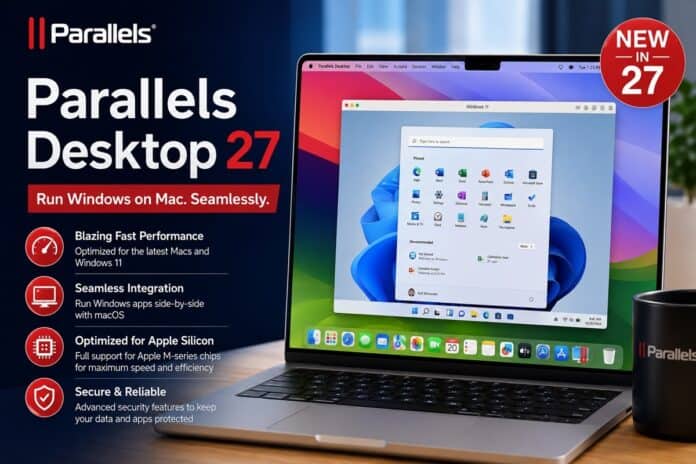

Parallels Desktop 27 is the latest iteration of the leading virtualization software for Mac. This year’s update is available for Apple Silicon Macs only and is aimed squarely at the heavier workloads people struggle to run in a virtual machine: graphics-intensive professional apps, local AI models, and developer automation. It also arrives fully ready for Apple’s next desktop operating system, macOS 27 “Golden Gate.”
If you use a Mac to run Windows or Linux software, here’s everything that matters in the new release.
A new OpenGL 4.3 graphics driver for demanding Windows apps
The headline change is a rebuilt graphics engine. Parallels Desktop 27 Pro introduces a Metal-based OpenGL 4.3 driver for Windows virtual machines on Apple Silicon, a step up from the OpenGL 4.1 ceiling in earlier versions, and a meaningful one for anyone running professional visualization software.
In Parallels’ own testing, OpenGL workloads ran up to 2.6 times faster than on the previous driver. The clearest example is GIS software: ArcGIS Pro saw selected tasks run up to 35% faster, with the full tested workflow completing up to 24% faster.
As always with vendor benchmarks, real-world gains depend on your Mac, your VM configuration, and the specific operations you’re running, but the direction of travel is clearly toward making CAD, GIS, engineering, and scientific apps viable on a Mac.
OpenGL 4.3 support also lets the driver handle Windows applications like ZWCAD and Blender 4.3.

Faster local AI in Linux and Windows VMs on M4 Macs and newer
The second major addition targets developers experimenting with on-device AI. On Macs with an Apple M4 chip or later, Parallels Desktop 27 Pro now accelerates AI and machine-learning operations inside Linux virtual machines by tapping Apple’s Scalable Matrix Extension (SME) instructions.
The numbers Parallels published are striking. Running Ubuntu on an M4 Pro Mac, the company measured matrix computations up to seven times faster and neural-network inference up to 1.75 times faster than before.
For anyone testing local models with tools like Ollama or llama.cpp, that’s the difference between a sluggish experiment and a usable local workflow.
One important caveat for buyers: this acceleration is exclusive to M4-class chips and newer. Parallels Desktop 27 runs across the full Apple Silicon range from M1 to M5, but the AI speedups require M4 or later hardware.

Although the vendor tests were conducted on Linux virtual machines, support for SME instructions is also available for Windows virtual machines running on M4 or newer Macs.
This means that whether you are using Linux or Windows, you will enjoy faster local AI and machine learning workflows without requiring cloud infrastructure. However, your speed and performance will vary depending on your configuration.
Full macOS 27 “Golden Gate” support
Parallels Desktop 27 is fully compatible with macOS 27 Golden Gate, Apple’s upcoming release. Both the Standard and Pro editions support it, and Parallels says you can upgrade your Mac and keep using your existing Windows environment without reinstalling the app or rebuilding your virtual machine.
The everyday experience is unchanged in the best way: Windows apps run alongside macOS, appear in the Dock, and open files stored on your Mac, with no need to reboot to switch between systems.
Parallels also remains authorized by Microsoft to run ARM versions of Windows 11 in a VM on Apple Silicon, still the cleanest legitimate path to Windows 11 on a Mac.
New tools for developers and DevOps teams
Beyond raw performance, this release adds workflow features for technical users. The Parallels Desktop DevOps Service gains a native graphical interface for viewing and managing hosts, virtual machines, and automation workflows, so teams that prefer a visual dashboard aren’t forced to live entirely in the command line (which remains available for scripting).
Notably, Jenkins dynamic provisioning can now spin up temporary Mac-hosted build or test environments on demand and release those resources when a job finishes a genuinely useful way to fold Mac VMs into an existing CI/CD pipeline.
What’s new for enterprise customers
For organizations managing Macs at scale, Parallels Desktop 27 brings improvements to single sign-on (SSO) for a more consistent authentication experience within existing identity infrastructure.
Parallels has also renewed its SOC 2 compliance, continues third-party penetration testing, and has Arm SystemReady certification work underway for this release (version 26.4 achieved that certification earlier).
Standard vs Pro: Which edition do you need?
The split between editions is clean this year. The Standard edition covers everyday Windows use, Microsoft Office (including Access), financial and educational software, and other productivity tools.
The Pro edition adds the features this update is built around: the Metal-based OpenGL 4.3 driver, M4 AI acceleration for Windows and Linux, higher virtual hardware limits, advanced networking, and command-line and automation tools.
In short: choose Standard when Windows supports part of your day, and Pro when the virtual machine is your work environment for software development, ArcGIS Pro, engineering apps, or local AI work.
One catch: Apple Silicon only
The most significant limitation isn’t a feature at all. Parallels Desktop 27 is available exclusively for Apple Silicon Macs.
If you’re still on an Intel Mac, Parallels Desktop 26 is the last version that supports your machine, and you’ll stay on that release for the foreseeable future.
Should you upgrade?
If you run graphics-heavy Windows software or you’re doing local AI development on an M4 or newer Mac, Parallels Desktop 27 Pro offers the most tangible generational jump the app has seen in a while.
For users who mostly run Office and everyday Windows tools, the bigger draw is simply staying current and ready for macOS 27 Golden Gate. Either way, upgrading macOS without rebuilding your Windows VM makes moving to the new version low-risk.
Frequently asked questions about Parallels Desktop 27
Does Parallels Desktop 27 support macOS 27 Golden Gate? Yes. Both Standard and Pro editions fully support macOS 27 Golden Gate, and you can upgrade your Mac without reinstalling Parallels or rebuilding your existing Windows virtual machine.
Which Macs get the new AI acceleration? Parallels Desktop 27 runs on Apple Silicon Macs from M1 through M5, but the AI and machine-learning acceleration in Windows and Linux VMs requires an Apple M4 chip or newer.
Does Parallels Desktop 27 work on Intel Macs? No. Version 27 is Apple Silicon only. Intel Mac users should stay on Parallels Desktop 26, the last version to support Intel hardware.
What’s the difference between Standard and Pro? Standard is for everyday Windows applications. Pro adds the OpenGL 4.3 graphics driver, M4 AI acceleration for Linux, higher virtual hardware limits, advanced networking, and developer tools.
How much faster is the new graphics driver? Parallels measured OpenGL workloads running up to 2.6 times faster than the previous driver, with ArcGIS Pro tasks up to 35% faster and overall workflow time cut by up to 24%.




