

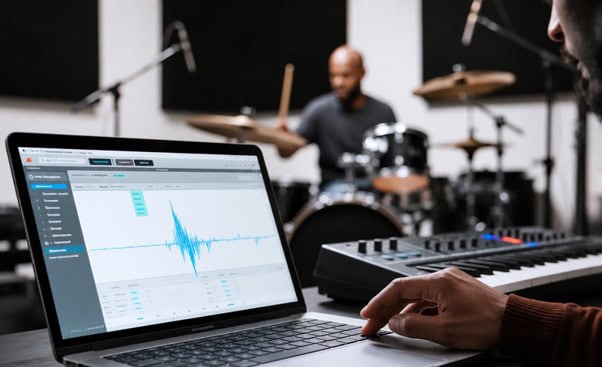
Music lovers, singers, content creators, and aspiring musicians often need instrumental versions of their favourite songs. Whether it is for karaoke, singing practice, video production, or remixing, having the music without the original vocals can make a big difference.
In the past, getting an instrumental version usually meant searching for an official backing track, hiring an audio engineer, or spending hours editing music with professional software. Today, AI-powered audio tools offer a much simpler alternative.
With an AI vocal remover, users can upload an existing song and automatically separate the singer’s voice from the instrumental arrangement. This makes it possible to create a backing track without needing advanced music production skills.
Why Would You Need an Instrumental Version of a Song?
There are several situations where an instrumental version can be useful.
- Karaoke and Singing Practice
One of the most common reasons to remove vocals is to create karaoke tracks. Singers can perform along with the original arrangement without competing with the recorded lead vocalist.
It is also useful for vocal training, allowing beginners to practise pitch, timing, and breathing while following familiar music.
- Video and Social Media Content
YouTubers, TikTok creators, and video editors sometimes need background music without distracting lyrics. An instrumental version can help maintain the atmosphere of a video while leaving room for narration, dialogue, or other audio elements.

- Music Production and Remixing
DJs and independent musicians may want to experiment with existing musical arrangements. An instrumental track can provide a starting point for studying song structure, testing new vocal performances, or developing creative remix ideas.
- Music Education
Music teachers and students can use instrumental tracks to study melodies, rhythms, harmonies, and arrangements. Removing the vocals makes it easier to concentrate on the instruments behind a performance.
How to Get an Instrumental Version from an Existing Song
AI vocal removal is one of the easiest ways to create an instrumental version without manually editing every audio layer.
These tools use machine learning models to analyse an audio recording and distinguish vocal frequencies and patterns from accompanying instruments. They then produce separate audio tracks, usually containing the vocals and the instrumental music.
Here is a simple process to follow.
Step 1: Choose a Suitable Audio File
First, prepare the song you want to convert into an instrumental version.
Most online AI vocal removers support common audio formats such as MP3, WAV, and FLAC. Whenever possible, use the highest-quality version available.
A clean audio file generally produces better separation results than a heavily compressed or low-quality recording.
Step 2: Upload the Song to an AI Vocal Remover
Open an online vocal removal tool and upload your selected audio file.
For example, InsMelo offers an AI-powered tool that allows users to separate vocals from music without installing complicated desktop software.
After uploading the song, the AI analyses the recording and separates it into two main components:
- Instrumental track: The music without the original lead vocals.
- Vocal track: The isolated singer’s voice.
The processing time depends on factors such as file size, song length, and system performance.
Step 3: Preview the Instrumental Track
Once the processing is complete, listen to the generated instrumental version.
Pay attention to whether any vocal sounds remain in the background. Some songs contain layered harmonies, backing vocals, or heavy vocal effects that can make separation more challenging.
Also check whether the drums, bass, guitars, and other instruments still sound natural.
If the result is not satisfactory, try uploading a higher-quality source file or using another version of the recording.
Step 4: Download and Use Your Instrumental
When you are happy with the result, download the instrumental track.
You can then import it into an audio editor, video editing application, or music production program.
For example, you might use it to prepare a karaoke performance, record your own vocals, or create a soundtrack for a personal video project.
What If You Want to Create Completely New Instrumental Music?
Removing vocals is not always the right solution. Sometimes, you may want music that has a different mood, tempo, or arrangement rather than a modified version of an existing song.
In this situation, AI music generators provide another option.
Platforms such as InsMelo allow users to explore music creation through text descriptions, lyrics, and other creative inputs. Instead of editing an existing recording, you can turn your ideas into music and experiment with different musical styles.
For example, a content creator could describe an upbeat electronic soundtrack for a travel video or generate a relaxing instrumental composition for a presentation.
This approach is particularly useful when you need original background music rather than an instrumental copy of an existing track.
Tips for Getting Better AI Instrumental Results
Although AI vocal removal has become much more accessible, the quality of the final output can vary. A few simple practices can help improve the results.
- Start with high-quality audio: Lossless or high-bitrate files can provide more detail for the AI to analyse.
- Choose songs with clear vocal arrangements: Tracks with heavily layered vocals and complex effects may be more difficult to separate.
- Always preview the result: Listen carefully before using the instrumental in a final project.
- Keep the original recording: Save a copy of the source file in case you need to try another separation method.
- Check the final audio mix: Minor vocal remnants or unwanted artifacts may require additional editing.
Is It Legal to Remove Vocals from Existing Songs?
Removing vocals from a song does not automatically give you the right to use the resulting instrumental commercially.
Copyright protection may still apply to the original musical composition and sound recording, even after the vocals have been removed.
For personal music practice or private karaoke, the practical considerations may be different from those involved in publishing a remix, monetised video, advertisement, or commercial music release.
If you plan to distribute or monetise an instrumental version, check the relevant copyright permissions and licensing requirements first. Using an AI tool does not remove these obligations.
Final Thoughts
Getting instrumental versions from existing songs is no longer limited to professional music producers. AI vocal removal tools have made the process much easier for singers, students, DJs, and content creators.
By uploading an audio file, processing it with an AI vocal remover, and downloading the separated instrumental track, users can prepare backing music for karaoke, practise their favourite songs, or explore new creative possibilities.
For those who want to go beyond modifying existing recordings, AI music generators offer another way to experiment with original compositions and instrumental arrangements.
As these technologies continue to develop, creating and editing music is becoming more accessible to people without traditional recording equipment or advanced audio engineering experience.